

TIMETABLE FOR THE PRE-TEST
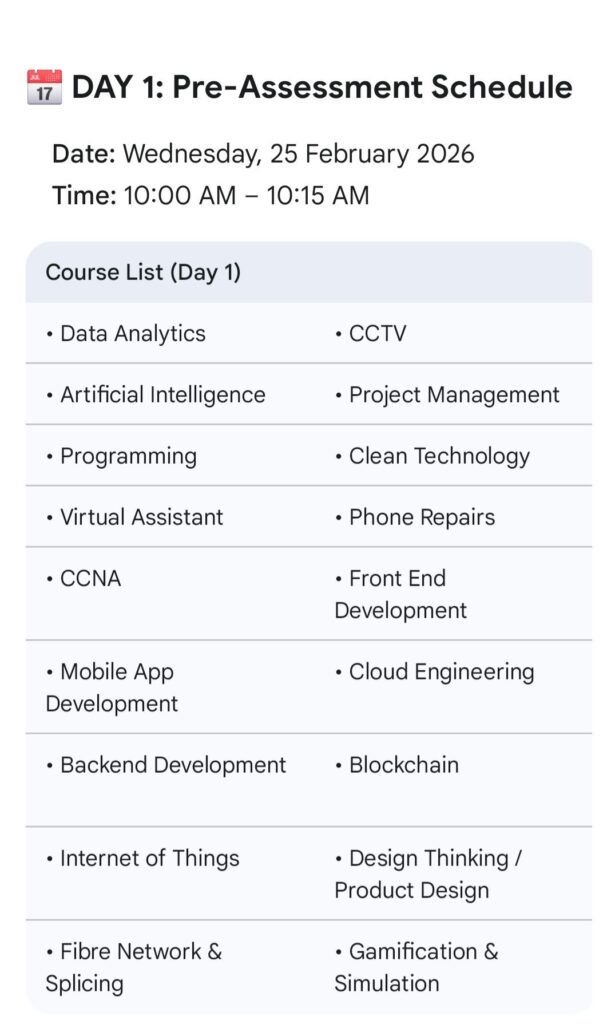
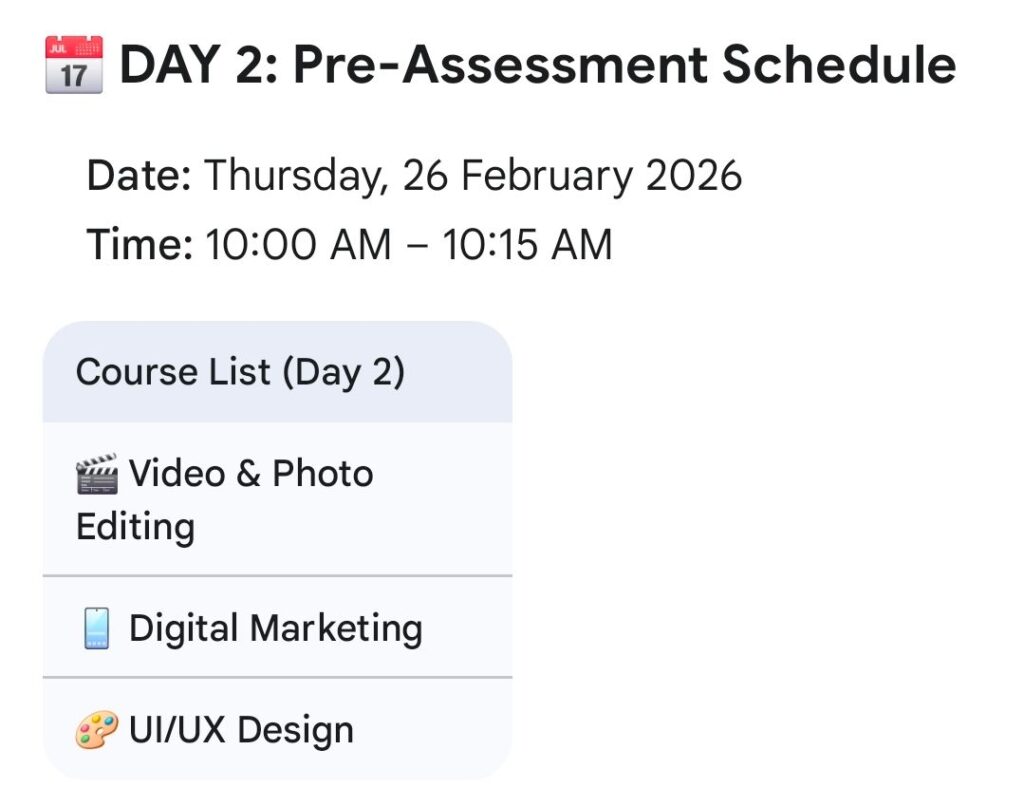
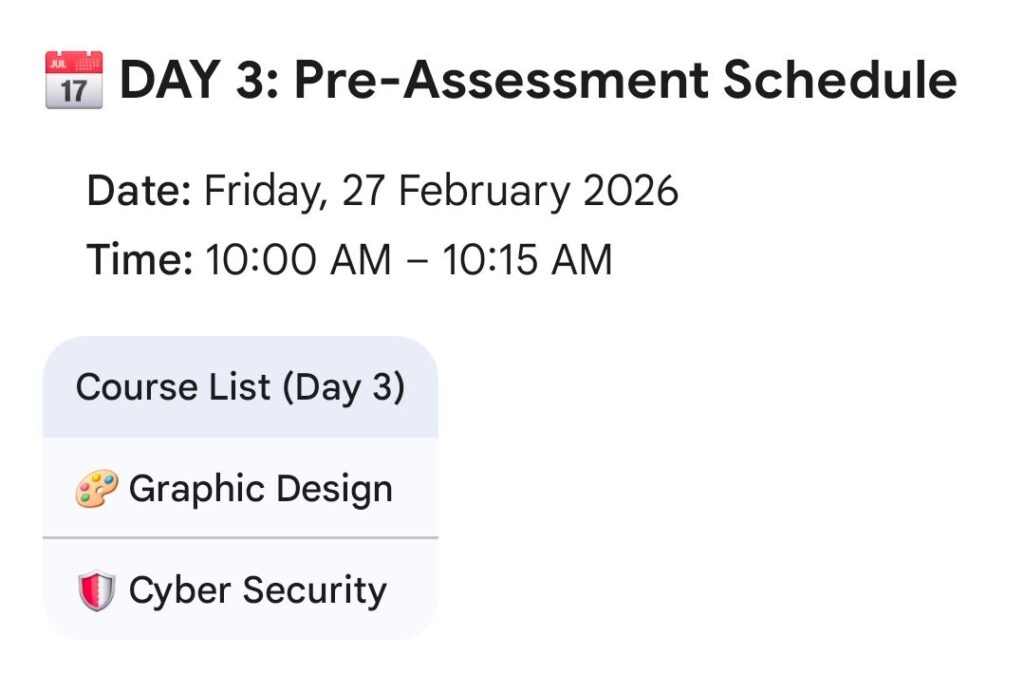
Update on how to prepare and write the Cohort4 SkillupImo pre-admission Test/exam
Heads-up dear Skillup Imo Cohort4 Prospects, here are detailed instructions on how you can write your Cohort4 SkillupImo pre-admission test:
You can only access the Skillup Imo Cohort4 exam through your Skillup registration dashboard in My Imo App Web page.
A. To access the My Imo app web page and your personal Skillup Imo dashboard:
1. First, log into “My Imo App” web page by opening Chrome or any other browser, type www.myimoapp.com and send. When it opens, Click on login and fill in your email and password (the email and password you used to register for Skillup Imo Cohort4). This will automatically log you into the My Imo App web page.
2. To access your skillup dashboard: scroll down to “Skillup Imo Cohort4 Registration” and click on it. This will display your dashboard. Your dashboard will show that you have successfully registered for the Skillup exercise and bears other specific information about you, along with other details you provided during the Skillup Cohort4 registration.
3. In case you forget your login password while trying to log into the web page, kindly click on “forgot password”, type your registered email, and send. A four-digit pin will be sent to your email address. Copy the pin from your email and paste it into the space provided, and send. This will display an option for you to generate a new password. (Ensure your new password has at least one capital letter, one special character, and other letters E.g., Emeka@4567 will be okay.) Type the new password and send. This will return you to the login page, where you only need to type your email and the new password you generated to log into the app and proceed to open your dashboard.
B. To access your examination questions/test: After opening your dashboard, scroll to “TAKE YOUR EXAM” and click on “OPEN EXAM”. This will display an exam link. Click on the link and fill in your personal information, like your name etc(as it is written on your official ID card), and proceed to access the questions and write your exam as soon as the exam time matures.
C. Exam Venue: The exam will be an online exam, and as such, you can write it from anywhere with either your phone or laptop, provided you have a stable internet connection and a conducive environment. Those who wish to come to IDCl or any other center to write theirs are free to do so.
D. Exam time: the exam starts at 10:00 am and ends at 10:15 am.
E. Other important updates: The questions will be 20 in number and are all objective questions. Just select the correct answers and submit. Do not engage in exam malpractice.
F. Important tips: It is best you rectify every issue surrounding your ability to log into your dashboard earlier before the exam time. Fixing all of that today will be ideal. Ensure your account remains logged in for easier access to the dashboard as soon as the exam starts. Fix your internet challenges, charge your device, keep all your information, like your IMSSBN, NIN, phone numbers, email address, etc., ready, and stay away from all forms of distractions moments before the exam and while the exam is going on.
Good luck.